


Protect yourself from scammers impersonating MyChart
Learn how to keep your personal information safe from phishing scams targeting patients
Baptist Memorial Health Care is aware of a nationwide phishing scam involving fraudulent emails and text messages that appear to come from MyChart, a patient portal used to access health information.
The messages may use the MyChart name and logo and offer recipients free medical supplies or other rewards in an attempt to obtain personal or financial information.
The fraudulent messages can look convincing but knowing what to look for can help you protect your personal information.
How the scam works
Some of the fraudulent emails tell recipients they have been selected to receive a free “MyChart Medicare Kit.” Others ask recipients to complete a survey before claiming a kit or other “Senior Health Package.”
The messages may include the MyChart logo and buttons labeled “Claim Your Reward,” “Start Survey” or “Claim Kit Now.” Some also use language designed to create a sense of urgency, such as telling recipients an offer is available for a limited time. MyChart warns patients that it does not conduct giveaways.
How to spot a fraudulent message
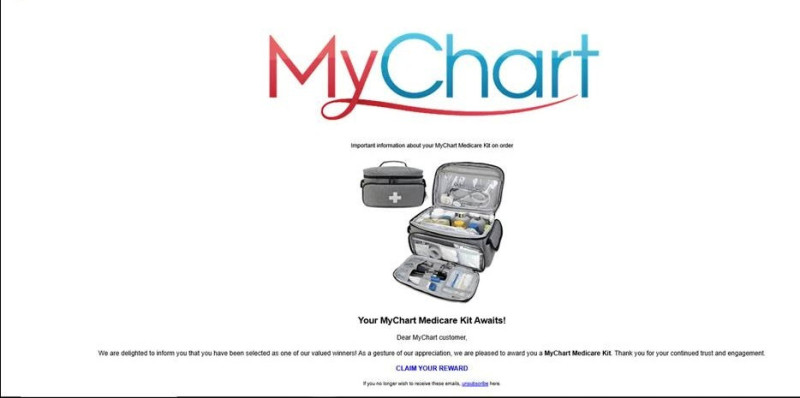
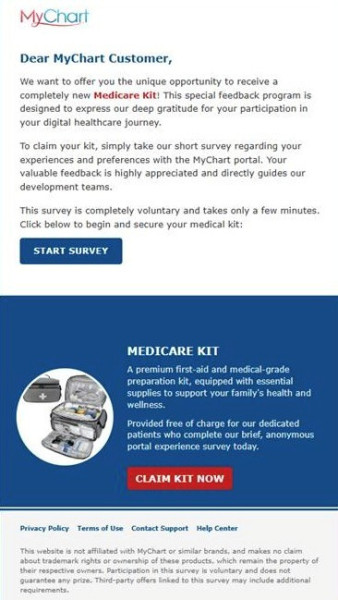
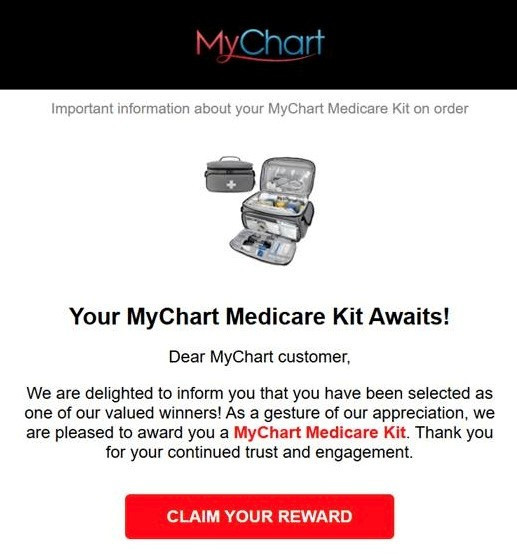
Seeing the MyChart name or logo does not mean a message is legitimate. Scammers can copy logos and other design elements to make fraudulent emails appear authentic.
One of the easiest ways to identify a suspicious message is to check the sender. Legitimate Baptist MyChart emails will come from an email address ending in @baptistonecare.org or @bmhcc.org. Legitimate Baptist MyChart text messages come from the short code 70517.
Be suspicious of a message claiming to be from MyChart if it
● Comes from an unfamiliar email address or phone number
● Offers a free product, prize, Medicare kit or other giveaway
● Says you have been “selected” or have won something
● Asks you to complete an unexpected survey to receive a reward
● Creates a sense of urgency or pressures you to act immediately
● Asks you to click on a link or button and provide personal or financial information
What to do if you receive a suspicious message
Never provide your MyChart password or verification code in response to an unsolicited email, text message or phone call.
If you receive an email or text message that you suspect is fraudulent, do not click on any links or buttons in the message, including an “unsubscribe” link.
Do not reply to or forward the message. Instead, mark the email or text as spam or junk and delete it.
If you need to access your Baptist OneCare MyChart account, open the MyChart app or go directly to the Baptist OneCare MyChart log-in page.
What to do if you’ve already clicked the link
If you clicked a suspicious link but did not provide any information, close the website.
If you entered your MyChart username, password or other account information, change your MyChart password as soon as possible by visiting Baptist OneCare MyChart directly.
If you provided credit or debit card information through a fraudulent website, MyChart recommends contacting your bank or card issuer to report the information as compromised, report any unauthorized transactions as fraudulent and request a replacement card.
When in doubt, go directly to MyChart
Phishing scams are designed to look legitimate and may change over time. If you aren't sure whether a MyChart email or text message is real, don't use any links in the message. Access your account directly through the MyChart app or the Baptist OneCare MyChart website.
For additional information about recognizing fraudulent messages and protecting your information, visit MyChart's Staying Safe From Scams and Fraud resource.